
Know where a group needs attention.
The Console puts tracked rounds on a live course map. Pace rankings and gaps give the team a starting point for deciding where to look and what to do next.
Read the Console guide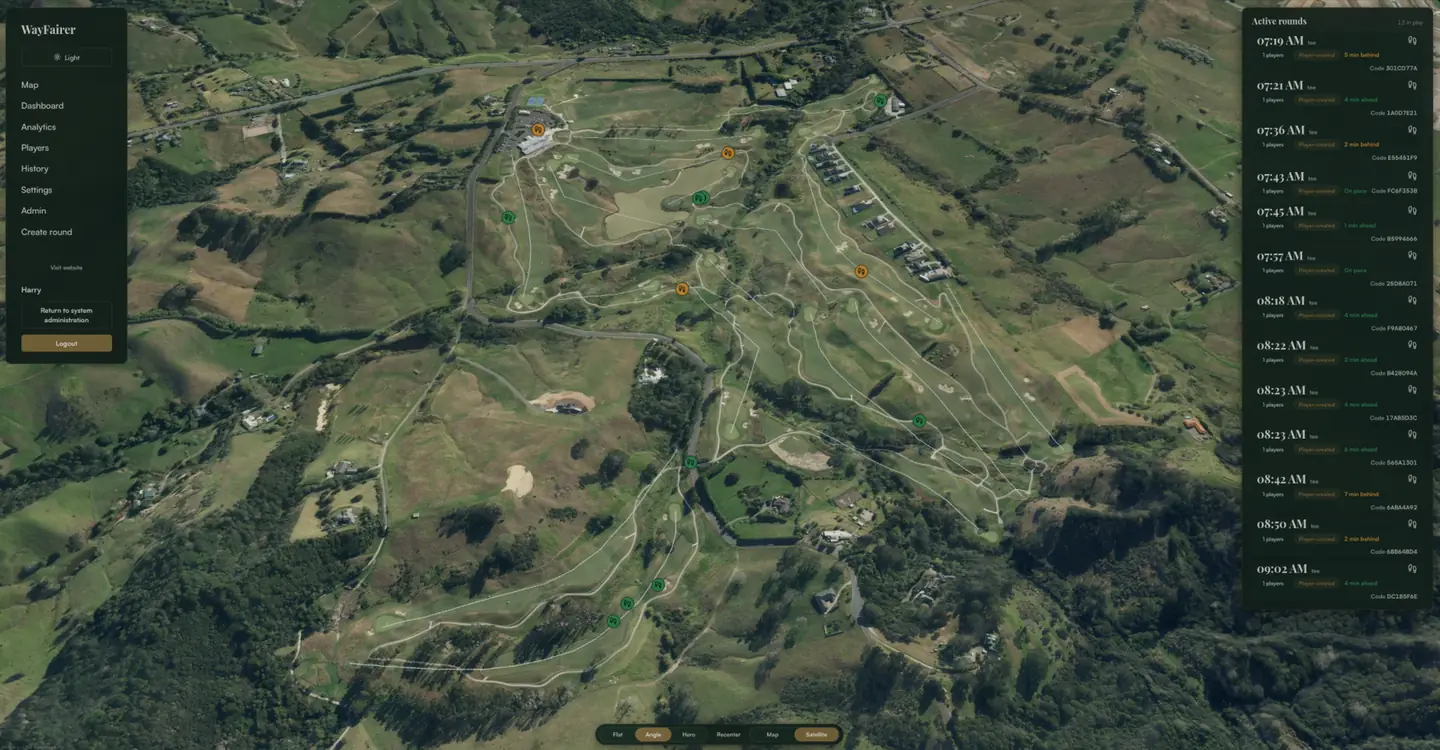
Move from the map to a useful response.
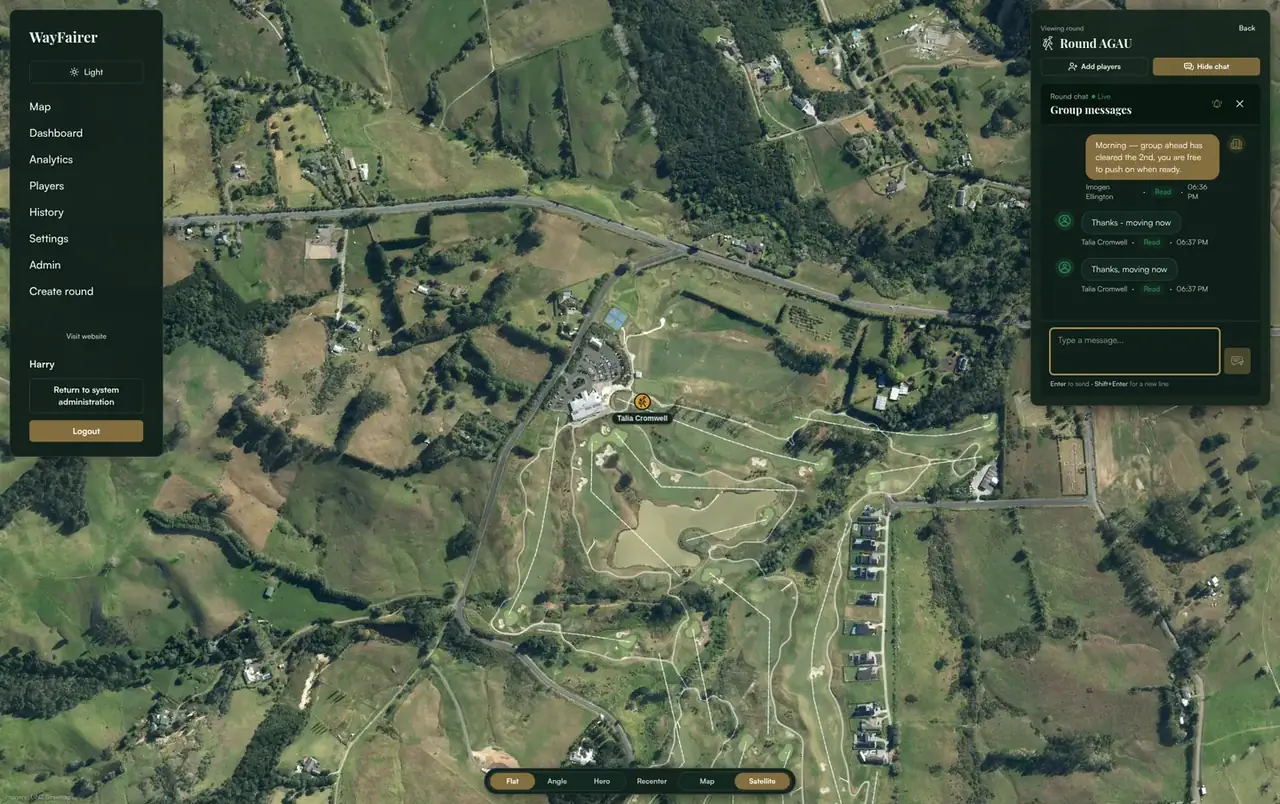
Open a tracked round to check its pace and message the golfers’ phones. Replies stay alongside the same round in the Console.
- 1
Find the group
Use the map and pace list to see where a round sits in the field.
- 2
Check the gap
Look at the groups ahead and behind before choosing a response.
- 3
Message when it helps
Give the group clear context and a next step, then read its reply in the round chat.
For the club’s wider view
Club leaders can review course patterns and prepare reports for a chosen period.
See the course toolsFor the full Console walkthrough
The guide explains the live map, pace dashboard, round chat and course reports in more detail.
Read the Console guide