
Understand the pace across your course.
WayFairer gives staff a live view of tracked rounds, then gives club leaders a record to review after play. See the tools, how players join and what the course can learn from the data.
During play
See active rounds, pace and gaps so staff can decide where to look first.
After play
Review course patterns over a chosen period and prepare a report for the next meeting.
The screens staff use during the day.
Start with the live view, then use course patterns and round history to decide what deserves a closer look.
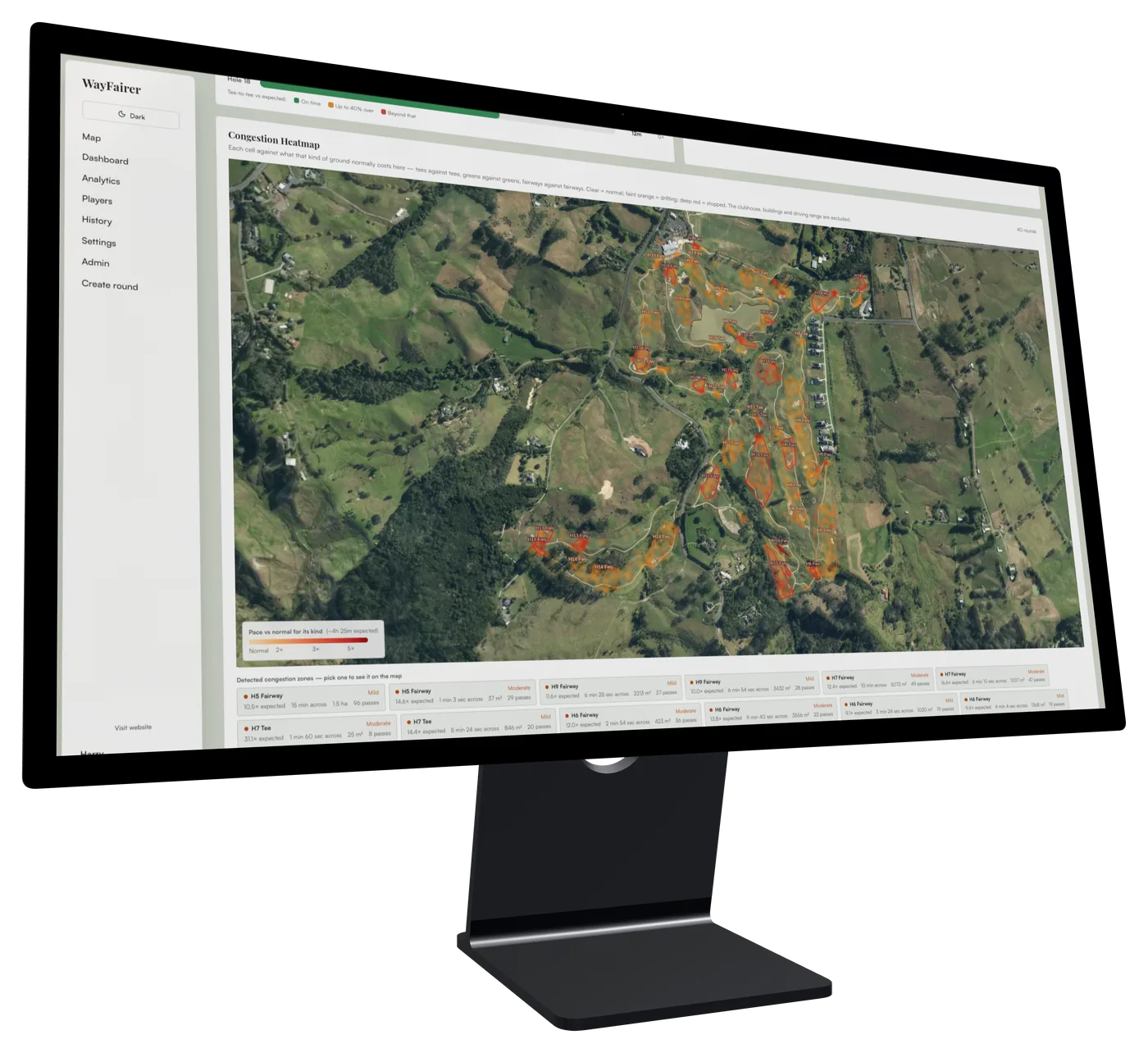
See where play is slowing down
The course view brings pace and group activity together, giving staff a place to decide where to look first.
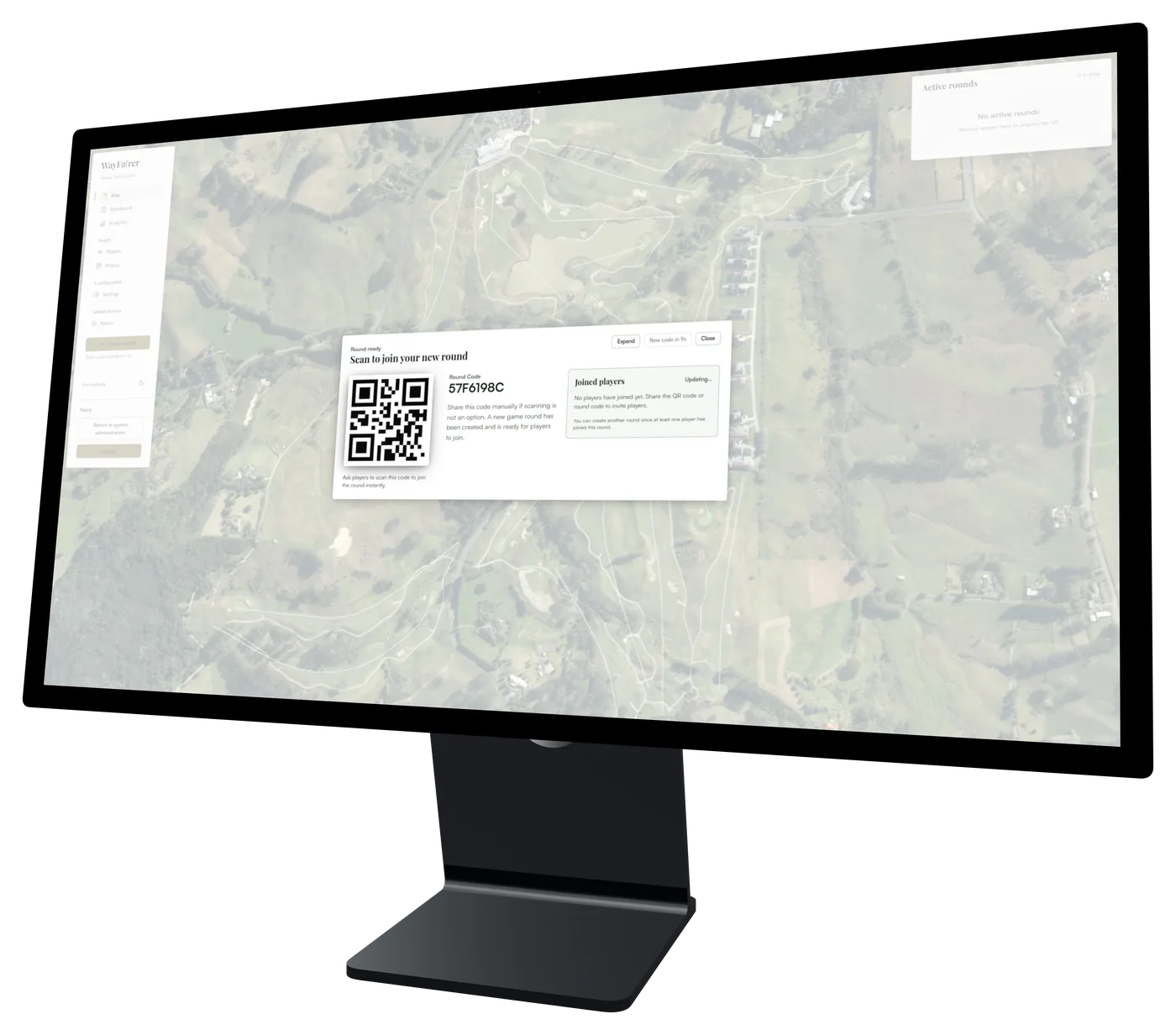
Let players join from their phones
Share a course QR code so players can join in the app. WayFairer uses their phones for tracked rounds, so there is no course tracking hardware to install.
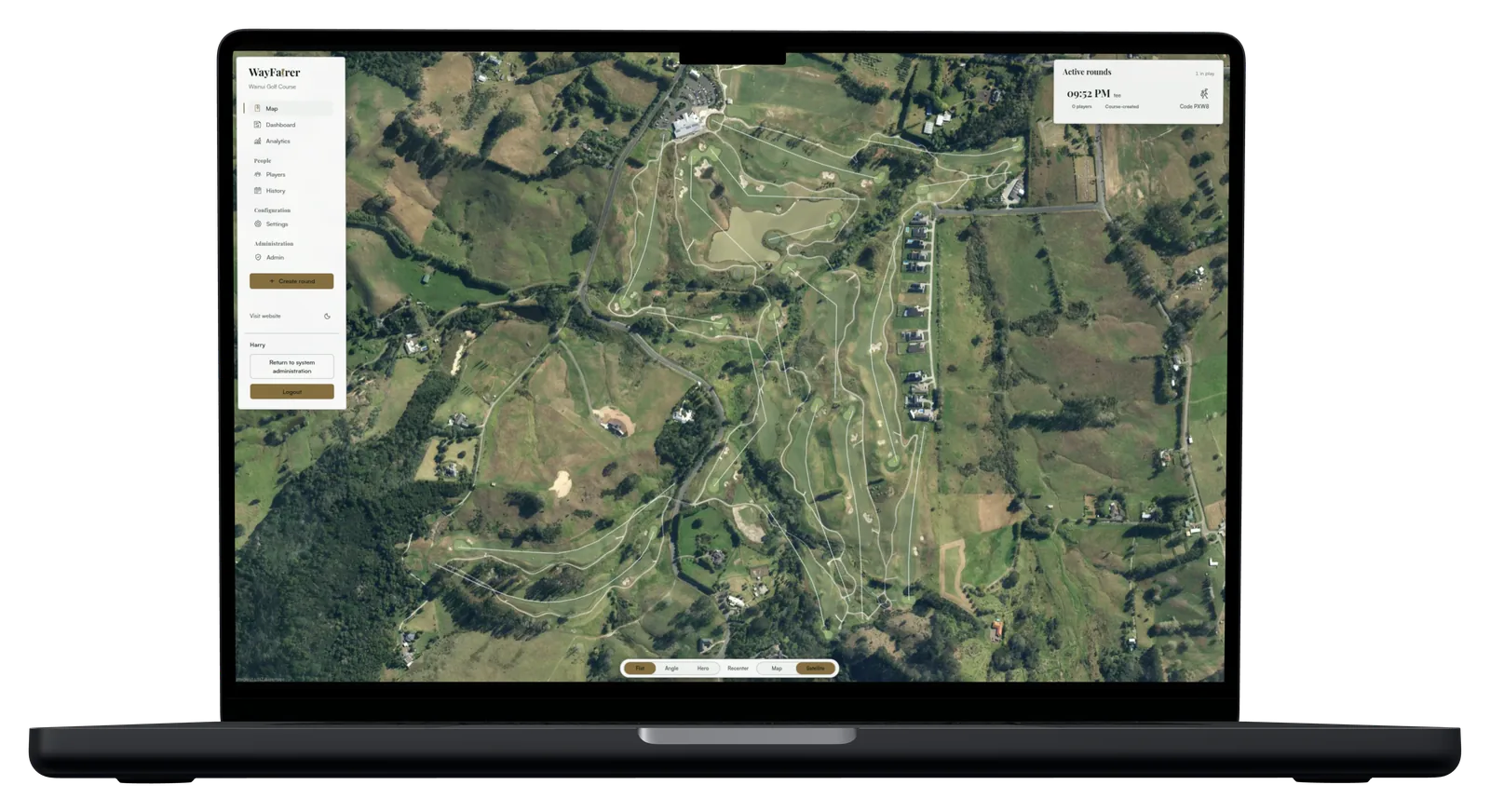
See each tracked group on the map
The live map shows groups with a WayFairer round in progress. Open a round to check its pace and the gap around it.
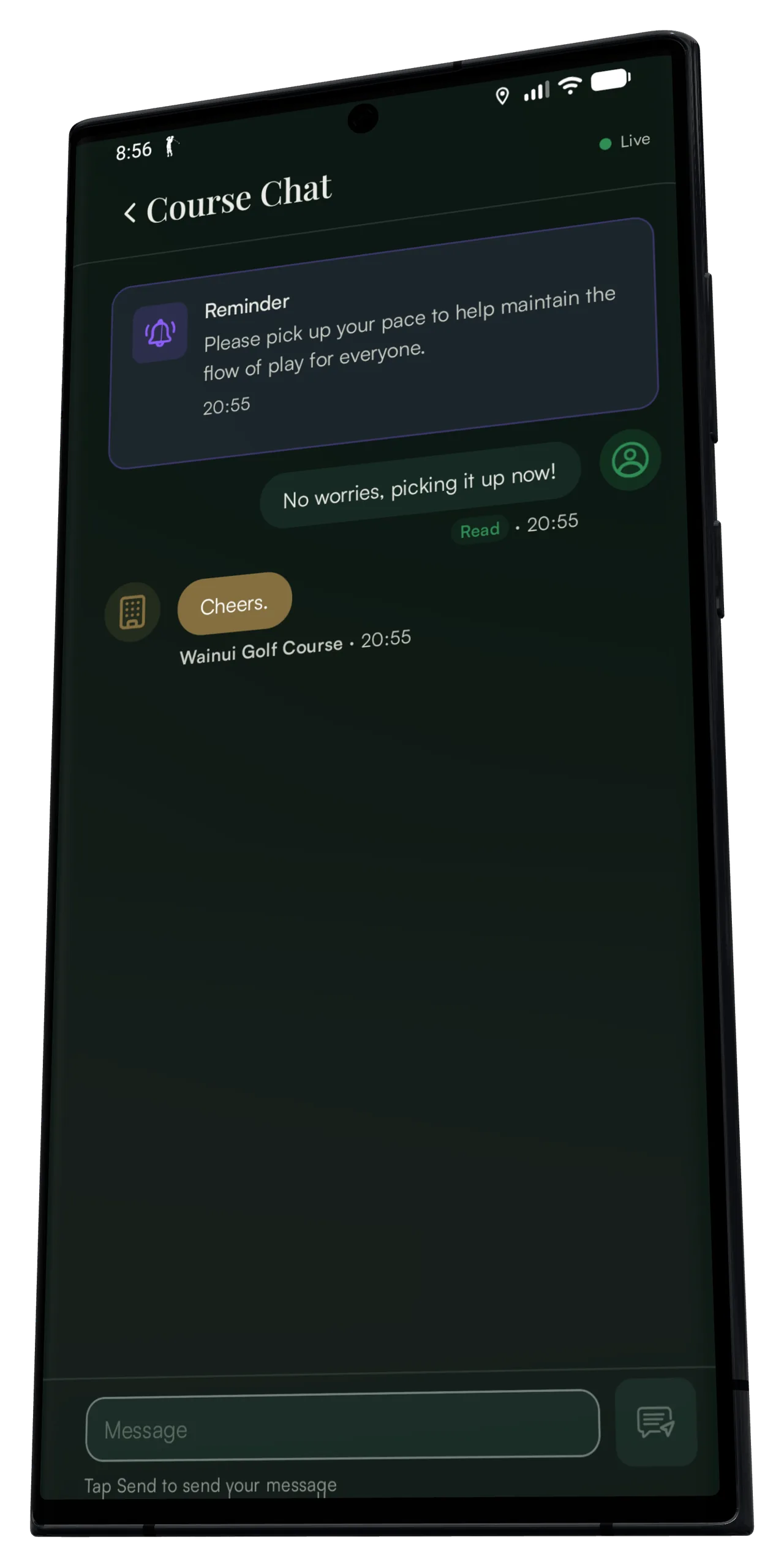
Contact a group from the Console
Send a message to the golfers’ phones from the round chat. Their reply appears alongside the same round.
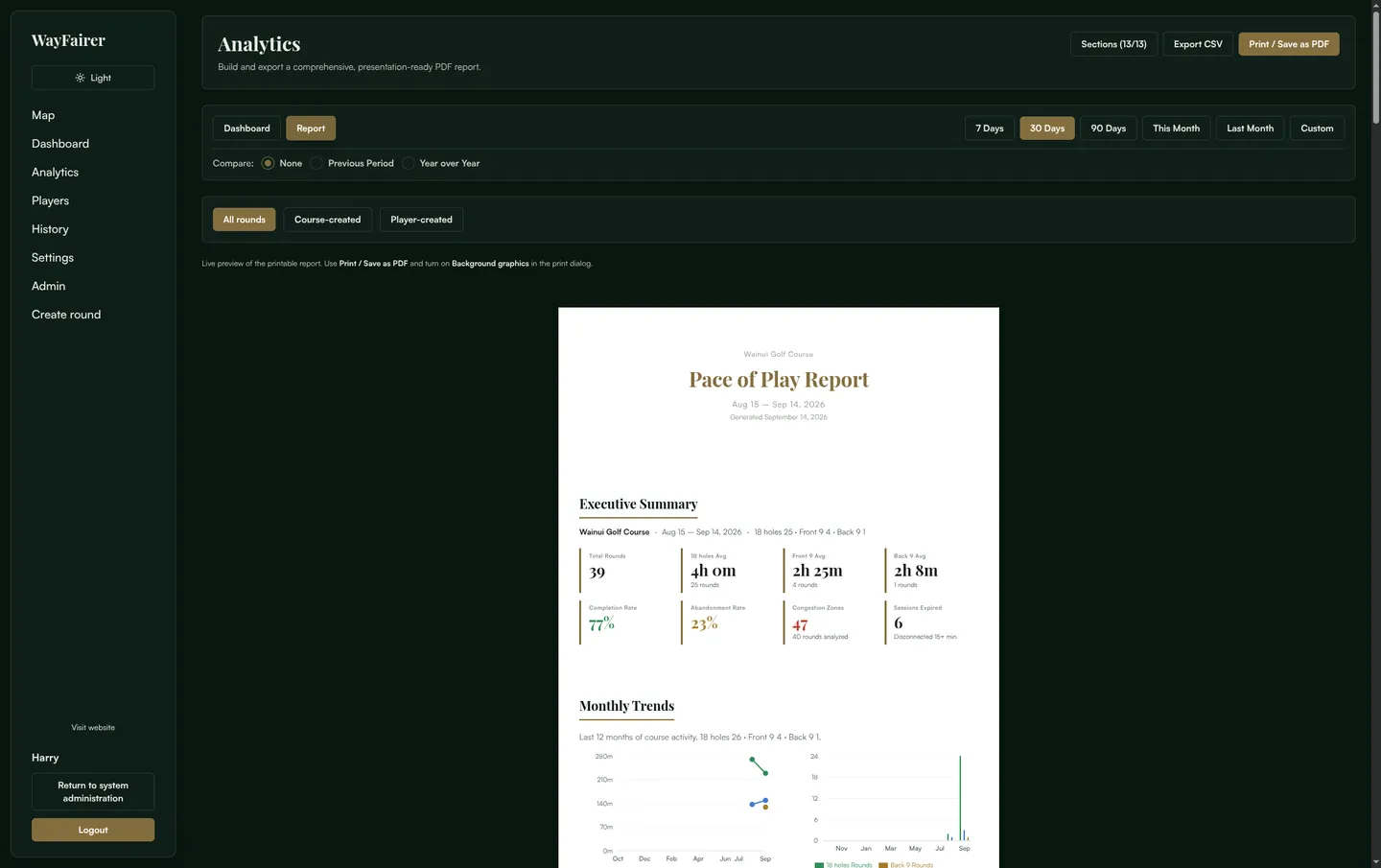
Bring the same figures to the next meeting.
Build a report for a chosen date range, compare it with an earlier period or the same period last year, and choose the sections your club needs. Print it or save it as a PDF.
Start with the way your course works.
There is no tracking hardware to install. We can help set up the course, walk staff through the Console and agree how to introduce round tracking to players.
- 1
Set up the course team
Give the right staff access and agree how they will use the live map, pace dashboard and round chat.
- 2
Show players how to join
Players can start a round in the app or join with the course’s QR code. A round appears in the live view when tracking is in progress.
- 3
Review what repeats
Use course patterns to decide what to investigate. The data helps the team ask better questions; it does not make course decisions for you.
What your club needs to know.
Here’s what to expect for cost, equipment and getting players started.
How is WayFairer priced?
WayFairer is a subscription for the course, with no tracking hardware to buy or maintain. We’ll give you the cost before you decide.
Do we need to install tracking hardware?
No. Players use the phones they already carry. The course does not need to buy or install tracking hardware.
Does everyone in a group need the app?
No. One player can run WayFairer for the group. A group appears on the live map when someone in it starts or joins a tracked round.
Do we need to connect our booking system?
No. The live map and round chat work without a booking-system connection. A booking alone does not start tracking. Players start or join a round in the app or with the course QR code.
What can course staff see?
Staff with course access can see live location and pace during tracked rounds, then review round history and course trends. Read the privacy policy for more about location and round data.
What help do we get at setup?
We’ll set up the course with your team, give the right staff Console access and show them how to use the live map, messages and reports.
Talk about WayFairer for your course.
A short call covers how staff use it, how players get started and the subscription cost.